



KonVis Local AI Connector - Node.js MCP Server to access Magento 2 Realtime Date by AI Agents eg. Claude Desktop, Copilot or local AI
Here you find information about our MCP Server based on Node.js for Magento 2 Onlinestores
The MCP Server does NOT provide/allow WRITE/DELETE Actions by Purpose. This is a MCP Server to "only" READ Data and use them inside AI to avoid possible unplanned Write/delete by AI.
Buy module - Price 150€ (net) without. 19% VAT (digistore24)
Why did we develop this MCP Server ?
We think there is a strong need to be able to get to realtime data of your magento store. This data are highly valuable for AI Agents and use them to make better decisions or mabye create completly new business cases.
This AI Connector is not run in a cloud without control about it etc. It is can/should be locally on your hardware/server and you have full access to the code and can modify and adjuste everything to your needs. You are able to run a local AI on your hardware and use our Connector to connect via MCP and Rest-Api to your store.
From our point of view this is a big advantange to be able to keep controll about the data inside your store. It allows developer a easy start into accessing Data from your Magento store.
This moduls is READ ONLY by purpose. We think it is better to limit AI the access to the store so nothing get Updated/Deleted by accident. In Addition we added logging so you are able to see what the AI does.
What are the functions of the this Magento MCP Server?
The functions of Magento MCP Server

This is a very light weight MCP Server to be run on your local system. The system can only READ Data (by purpose).
Currently it allows to get data in area of Products, Customer and Orders but only based on the default Magento Rest-API. We allready plan to make more Data accessible by another modul.
This allows to connect it to AI-Agents your local AI and whatever you can think of and is possible to connect with MCP. But it can be used for local AI Clients, too.
This MCP Server allows to do AI Tasks like:
Product Queries
eg. "Get me details for product with SKU "24-MB01"
eg. "Show me all enabled products"
eg. "Search for products with "laptop" in the name"
Customer Querries
eg. "Find customer with email john.doe@example.com"
eg. "Get details for customer ID 42"
Order Queries
eg "Show me order number 000000123"
eg. "Find all pending orders"
eg. "Get orders for customer jane@example.com"
The configuration is available at Configuration > Konvis > REST API Logger. There you can define if Logs should automatically deleted based on Cron job to avoid huge table sizes. It can be defined after how many days it should get deleted and when the Cron Job should run.
Screenshots (Example access with Claude Desktop)


Summary:
The module supports/was tested:
- Magento 2 Community Version
- Tested with Magento Version: Magento ver. 2.4.6 - 2.4.8-p5
- If you tried it with different version and it worked (or failed) feel free to inform us
Price
- Price 150€ (net) without. 19% VAT
- incl. 6 Month Updates from invoice date
- Offer only valid for commercial customers
60-day return policy
Included are:
- Latest version of the modul
- incl. 6 Month Updates from invoice date
- Manual for setup and functions
Functions are:
- Get Product, Customer and order data (only default Data)
- Error Loggin of MCP (Logfile)
- Access Logging of MCP (Logfile)
- Example Config for Claude Desktop and Copilot
License scope:
One productive Magento/Adobe Commerce shop belonging to the licensee, unlimited associated development, testing, staging, and acceptance systems. Customizations for the licensee's own purposes are permitted. No transfer, no sublicensing, no resale, no use by third parties.
Manual:
- Manual (can be found here - or inside of modul package)
Where to buy the modul?
Purchase of the extension is possible through our partner digistore24
The extension can be purchased through digistore24, which offers extensive payment options and easy order processing. Our partner also handles the delivery of the extension, including instructions. The invoice will also be sent to you by digistore24.

Technical data
Changelog
last update 2025-06-29
## Changelog
### Version 1.0.0
- Tested with Magento Versions: 2.4.6 - 2.4.8-p1
FAQ for Magento MCP Connector
What is a Magento MCP Server?
A Magento MCP Server connects a Magento 2 shop with AI clients through the Model Context Protocol. It allows an AI assistant to request selected shop data through defined tools instead of relying on copied exports, screenshots or manual search in the Magento admin area.
What does MCP mean in eCommerce?
MCP stands for Model Context Protocol. In eCommerce, MCP can be used to give AI tools controlled access to shop systems, product data, customer data, order data or other business data that is needed for analysis and support tasks.
Why is MCP relevant for Magento 2 shops?
MCP is relevant for Magento 2 shops because many useful AI tasks need current shop data. A connector can make product, customer and order information available to an AI assistant in a structured way, without creating a separate export process for every question.
What is the KonVis Local AI Connector for Magento?
The KonVis Local AI Connector is a Node.js based MCP Server for Magento 2 and Adobe Commerce. It is designed to access selected Magento data through the Magento REST API and make this data usable in AI clients such as Claude Desktop, Copilot compatible environments or local AI setups.
What problem does a Magento MCP Connector solve?
A Magento MCP Connector helps when shop teams want to ask AI assistants questions about real shop data. Typical questions include product details, enabled products, customer records, order status, pending orders or orders belonging to a specific customer.
Can an AI assistant access Magento data in real time?
Yes, the connector is designed to access Magento data through the Magento REST API. This means the AI assistant can work with current shop data instead of old CSV files or manually copied information.
Which Magento data can the connector currently read?
The current version focuses on default Magento product data, customer data and order data. This covers many practical use cases for product lookup, customer lookup and order analysis.
Can the connector read product data from Magento?
Yes, product data is one of the current data areas. An AI assistant can use the connector to request product details, search products or list products based on available Magento REST API data.
Can the connector read Magento customer data?
Yes, customer data is part of the current read scope. This can help with questions about customer records, customer IDs or customer related order analysis.
Can the connector read Magento order data?
Yes, order data is part of the current read scope. A user can ask an AI assistant to find specific orders, review pending orders or retrieve orders related to a customer.
Can the MCP Server change products, prices or orders in Magento?
No. The connector is intentionally built as read-only. It does not provide write or delete actions. This reduces the risk of accidental changes caused by AI prompts, wrong assumptions or misunderstood instructions.
Why is read-only access important for AI and Magento?
Read-only access is important because Magento contains business-critical data. A cautious first step is to let AI analyze and retrieve information, while updates, deletions and operational changes remain under human control.
Is the Magento MCP Connector suitable for autonomous AI agents?
It is suitable for controlled data access by AI agents. It is not designed as a tool that allows an AI agent to autonomously change products, prices, customers or orders in the shop.
Can the connector be used for AI based shop analysis?
Yes. It can support AI based analysis where product, customer or order data is needed. Examples include finding pending orders, reviewing product information, checking customer related orders or preparing internal summaries.
Can the connector help customer service teams?
Yes, it can support customer service by helping an AI assistant retrieve order and customer information faster. The actual use depends on how the AI client, access rights and internal workflows are configured.
Can the connector help product management teams?
Yes. Product management teams can use AI supported product queries to find products, review product details or identify products matching a search term. The connector is especially useful when questions are frequent and manual backend searches take time.
Can the connector help eCommerce managers?
Yes. An eCommerce manager can use the connector to ask operational questions about products, customers and orders. This can reduce manual lookup work and make shop data easier to use in daily decision-making.
Can the connector help developers?
Yes. Developers can use the connector as a starting point for controlled AI access to Magento data. Since it is based on Node.js and the Magento REST API, it can also be reviewed, modified and extended for specific use cases.
Can the connector be used by management without Magento backend knowledge?
Yes, but the practical result depends on the setup and the AI client. A well-configured AI assistant can make shop data easier to access for non-technical users, especially when they know what business question they want to answer.
Does the connector run locally?
Yes, the connector is designed to run locally or on controlled infrastructure. This is useful for companies that want more control over how shop data is accessed by AI tools.
Does the connector require a cloud service?
No external connector cloud is required for the core concept. The connector can be operated locally. The AI client used with it may still have its own data handling rules, depending on the selected AI tool.
Can the connector be used with local AI?
Yes, the connector can be used in local AI scenarios when the local AI client or workflow supports MCP. This is relevant for companies that want to test AI access to Magento data with more control over their environment.
Can the connector be used with Claude Desktop?
Yes. The page provides example usage and configuration references for Claude Desktop. This makes Claude Desktop one of the practical client scenarios for the connector.
Can the connector be used with Copilot?
Yes. Example configuration for Copilot is included. The exact setup depends on the MCP-capable environment used with Copilot.
Can the connector be used with ChatGPT?
It may be possible in MCP-capable environments, but the concrete setup depends on the available MCP support, client configuration and deployment model. The connector itself is an MCP Server for Magento data access.
Can the connector be used with Adobe Commerce?
Yes. The page describes the connector for Magento 2 and Adobe Commerce use cases. The license scope also refers to one productive Magento or Adobe Commerce shop belonging to the licensee.
Is the connector suitable for Magento Open Source?
Yes. The page states support for Magento 2 Community Version. This makes it relevant for many Magento Open Source shops.
Which Magento versions were tested?
The current page states that the connector was tested with Magento versions from 2.4.6 to 2.4.8-p5. Shops on other versions should test compatibility before relying on productive use.
Does the connector use the Magento REST API?
Yes. The connector uses the Magento REST API to access the selected data areas. This is important because Magento already provides structured API endpoints for shop data.
What is the difference between Magento REST API and MCP?
The Magento REST API provides technical endpoints for shop data. MCP provides a standardized way for AI clients to call defined tools. The connector links both sides by making Magento REST API data accessible through MCP.
Why not just export Magento data to CSV?
CSV exports can work for occasional analysis, but they are often outdated as soon as they are created. A connector can provide current data access and reduce repetitive manual export work.
Why not let an AI assistant log in to the Magento admin area?
Giving an AI assistant direct backend access would create unnecessary risk. A controlled connector with defined read-only tools is usually safer and easier to monitor than unrestricted backend access.
Is an MCP Connector the same as a chatbot?
No. A chatbot usually focuses on conversation. An MCP Connector focuses on connecting an AI client with a real system or data source through defined tools. The AI can then answer questions using actual shop data.
Is the connector useful for B2B Magento shops?
Yes. B2B shops often have complex products, customer structures, order histories and internal processes. Controlled AI access to shop data can help teams answer operational questions faster.
Is the connector useful for B2C Magento shops?
Yes. B2C shops can also benefit when customer service, product management or eCommerce teams need faster access to product, customer and order information.
Can the connector read custom product attributes?
The current scope is based on default Magento REST API data. Custom product attributes may be available when they are exposed through the relevant Magento API response. Individual cases should be checked in the specific shop setup.
Can the connector read custom customer attributes?
The current scope is focused on default customer data through the Magento REST API. Custom customer attributes may require additional checks or custom extension work, depending on how the shop stores and exposes the data.
Can the connector read data from third-party Magento modules?
Not automatically in every case. Data from third-party modules depends on whether this data is available through Magento REST API endpoints or whether additional API endpoints need to be developed. In general this modul access only default Magento REST-API data. But it can be modified/extend by you to fit your needs.
Can the connector be extended?
Yes, the connector can be adapted for specific needs when additional data or workflows are required. This is especially relevant for shops with custom attributes, custom modules, special order processes or B2B logic.
Does the connector include logging?
Yes. The connector includes error logging and access logging. Logging is important because companies should be able to review what the AI client requested through the connector.
Why is logging important for Magento AI access?
Logging helps identify what data was requested, which errors occurred and whether the connector is being used as expected. This supports debugging, internal control and safer operation.
What security risks should be considered with MCP and Magento?
The main risks are excessive permissions, poorly protected credentials, unwanted data exposure, prompt injection, unclear user responsibility and uncontrolled tool access. A read-only design, limited API rights, local operation and logging can reduce practical risk.
Should the MCP Server be publicly reachable?
In most cases, a Magento MCP Server should not be exposed publicly without a clear security concept. Access should be limited, authenticated and monitored. The safest setup depends on the company network, AI client and operational requirements.
Which access rights should be used for the Magento API user?
The API user should only receive the rights needed for the intended read operations. Broad admin privileges should be avoided when a limited read-only role can provide the required data.
Are customer data and order data sensitive?
Yes. Customer and order data can contain personal and commercial information. Companies should define who may use the AI client, which data may be queried and how results may be stored or shared.
Does the connector make Magento data available to every AI tool automatically?
No. The connector makes data available through the configured MCP setup. Access depends on the local configuration, the selected AI client and the credentials used for the Magento API connection.
What should be tested before productive use?
A company should test API rights, example queries, logging, error handling, client configuration, data visibility and unwanted access scenarios. Testing should happen in a development or staging environment before productive use.
What does the Magento MCP Connector cost?
The current price is150 euros net, excluding 19 percent VAT in June 2026. The offer includes six months of updates from the invoice date. For current price and conditions please check the info on this page.
What is included with the connector?
The page lists the latest module version, six months of updates, a setup and function manual, product, customer and order data access for default data, MCP error logging, MCP access logging and example configuration for Claude Desktop and Copilot.
Who should consider using a Magento MCP Connector?
A Magento MCP Connector is relevant for shop owners, eCommerce managers, B2B companies, agencies and developers who want controlled AI access to Magento data. It is especially useful when teams want to test AI workflows without giving AI tools permission to change shop data.
Roadmap

Roadmap for next versions(s)
Latest update 2026-06-30
- Nothing planend
If you have questions/suggestions please contact us ! (martin.steudter@konvis.de)
Bugs spotted? You need/like to have another function?
If you need additional functions or you have improvement suggestsions please contact us. If you spotted bugs we strongly try to fix them asap.
Martin.steudter@konvis.de
More Information
More information about MCP and AI by KonVis?
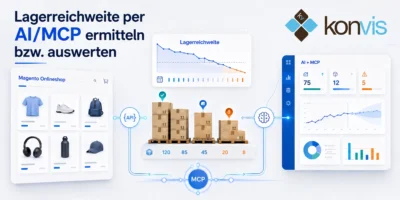
Lagerreichweite in Magento Onlineshop auf Basis von Verkaufsdaten per MCP und AI auswerten
Zu viel Ware im Lager bindet Kapital. Zu wenig Ware…
zum Beitrag
Absatzprognosen mit Magento-Verkaufsdaten und AI erstellen
Historische Verkaufsdaten zeigen mehr als den bisherigen Umsatz eines Onlineshops.…
zum Beitrag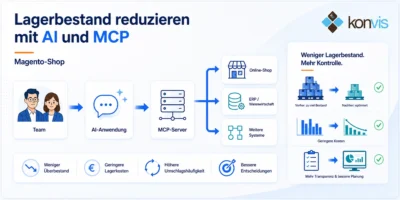
Lagerbestand reduzieren mit AI und MCP-Anbindung an den Magento-Shop
Zu viel Ware im Lager bindet Kapital. Gleichzeitig darf eine…
zum Beitrag

Magento 2.4.6 EOL seit August 2026 und was Shopbetreiber jetzt tun sollten
Seit dem 11. August 2026 ist der reguläre Support für…
zum Beitrag
Magento Custom Attributes und Drittmodule per MCP nutzen
Magento-Shops enthalten häufig weit mehr Informationen als die üblichen Produkt-,…
zum Beitrag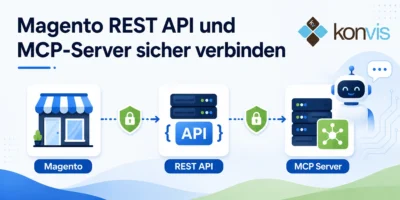
Magento REST API und MCP-Server sicher verbinden
Was passiert, wenn eine für klassische Systemintegrationen entwickelte REST API…
zum Beitrag
You need more information about KonVis Magento?
more information about Magento maintenancee by KonVis
Information about Magento development by us
Information about Magento modul development
more information about Magento onlinestores on the costs can be found here